Guides
Snusless daily goals and iPhone widgets
Updated .
On this page
Snusless pairs a daily plan with a tracking screen and, on iPhone, Home Screen and Lock Screen widgets. This guide covers the plan controls and how to set the widgets up. The app runs on Android too; the widgets are iPhone only.
Check your plan
The My plan screen shows your plan type, starting point, end date and a progress chart. On an active plan you can change the end date and the daily limit. The starting amount can only be edited early on, and a finished plan usually means starting a new one.
Editing a plan does not rewrite past days. After a change, check the dates and values on screen. The daily limit is your target, not a medical allowance.
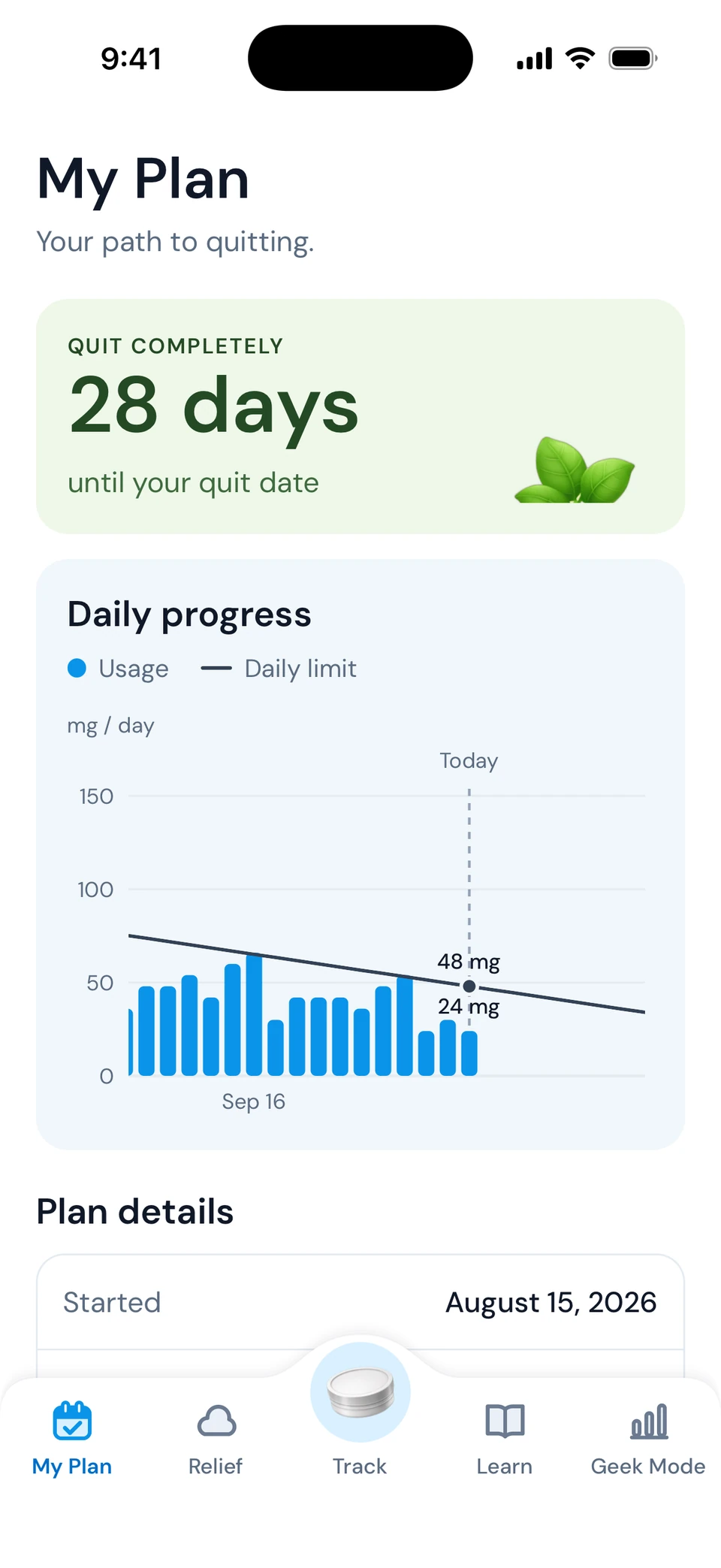
Why pouches remaining can change
The app compares the nicotine you have logged with the plan's daily amount, then converts what is left into pouches of the selected product. Select a stronger product and fewer pouches remain. Check which can is selected before comparing today with yesterday. Keep separate products for separate strengths; the tracking guide has an example.
Add the widget
Open Snusless once so the tracking screen is set up. Then add the Snusless widget from the iOS widget picker on your Home Screen, or through Lock Screen customization. Sizes depend on your iOS version. Apple: add and customize widgets.
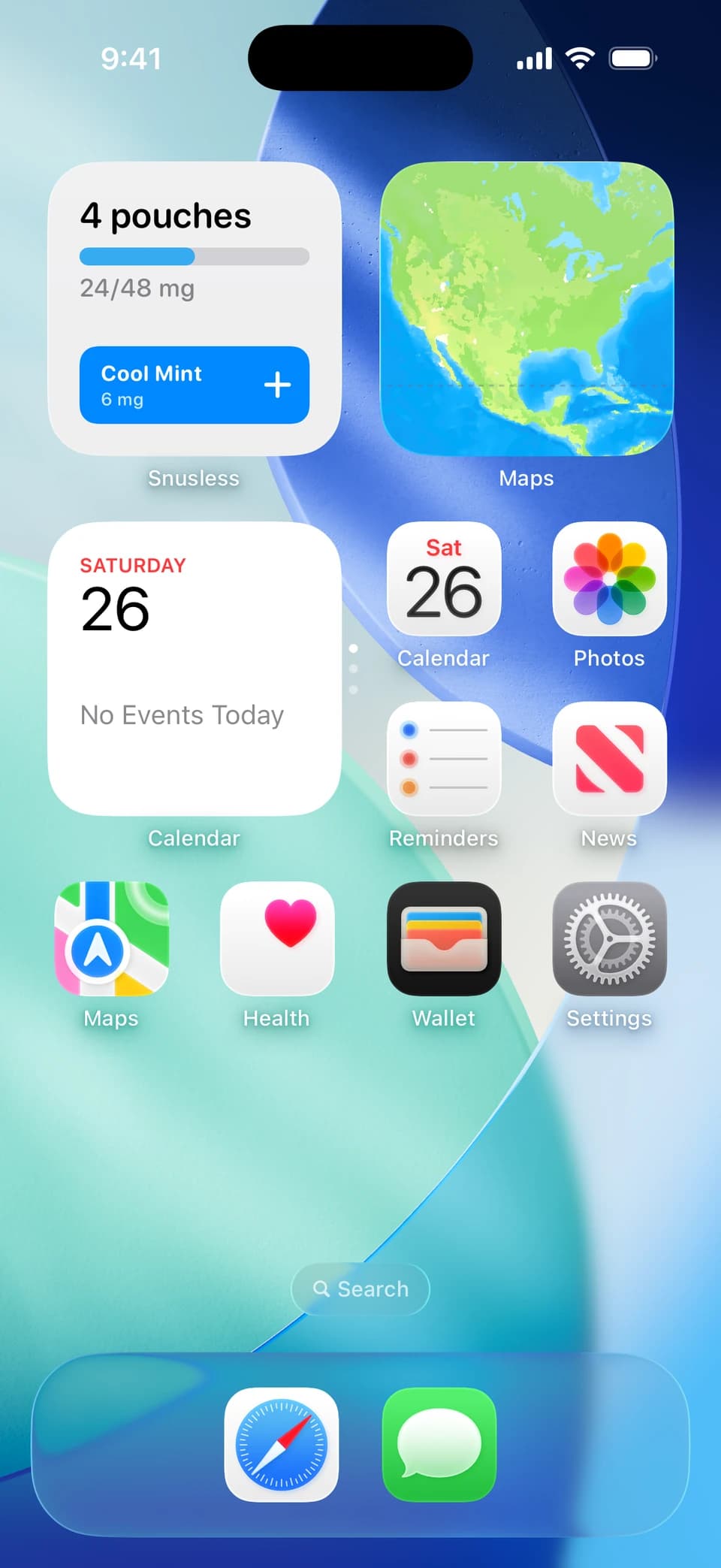
Log from the widget
Tapping the widget opens Snusless to log the pouch. If the app asks which product, pick the right can and check the updated count. The widget shows a summary the app sends it; if it lags, open the app and it refreshes.
Keep it simple
Pick one moment a day to check your record, such as after lunch or when you finish work. If widgets do not suit you, use the app directly, or the browser worksheet for a week's overview.
Track your pouches with Snusless
Log each pouch by product and strength, set a daily goal and watch the trend. Free on iPhone and Android, with optional in-app purchases. See how tracking works.